A ready-to-use onboarding app for HR teams
Hiring someone new should feel exciting, not chaotic. Yet for most HR teams, onboarding still means chasing paperwork across email threads, spreadsheets, and sticky notes. The Employee Onboarding app, built on the LogixFlow no-code platform, replaces that chaos with a single, organized digital workspace that takes a new hire from their first day of paperwork to a fully provisioned, productive team member, without a single line of code written by your team.
Install it, use it, make it yours
This is not a blank platform you have to build on, and it is not an HR suite you have to migrate onto. It is a finished onboarding app, and everything in it stays editable.
Add the app
Install the Employee Onboarding app into your LogixFlow workspace in a few clicks. All seven forms, the approval routing, the emails, and the document templates arrive already built.
Onboard someone this week
Open a record for your next hire, collect their documents, and route the approval the same afternoon. No kickoff call, no configuration phase, no go-live date.
Customize as you go
Notice something your company does differently? Rename it, add it, or reroute it yourself in a point-and-click panel. Changes go live immediately.
Everything a new hire needs, already built
Seven forms follow the real onboarding journey — offer to fully provisioned team member — so one hire stays one connected record instead of an email thread, a spreadsheet, and a folder on somebody's desktop.
Employee Information
The personal and contact details every HR file needs, captured once and reused everywhere else in the record.
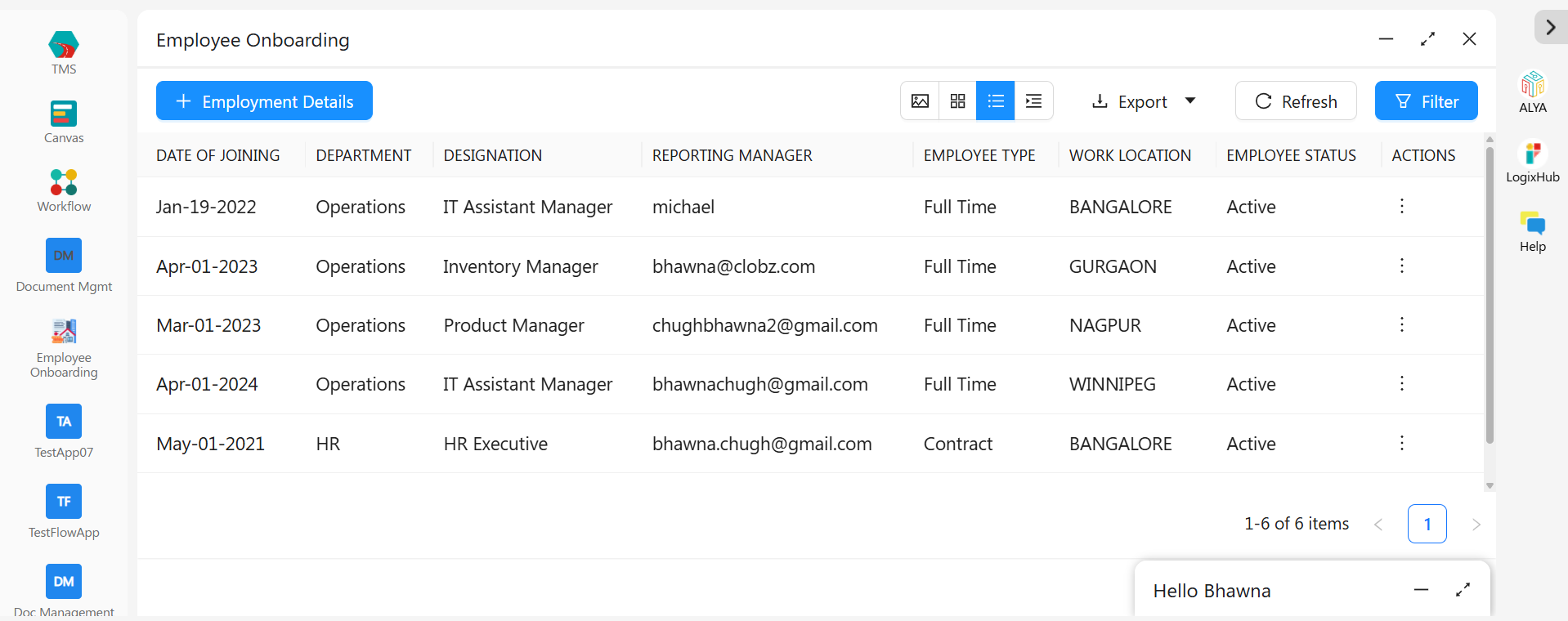
Employment Details
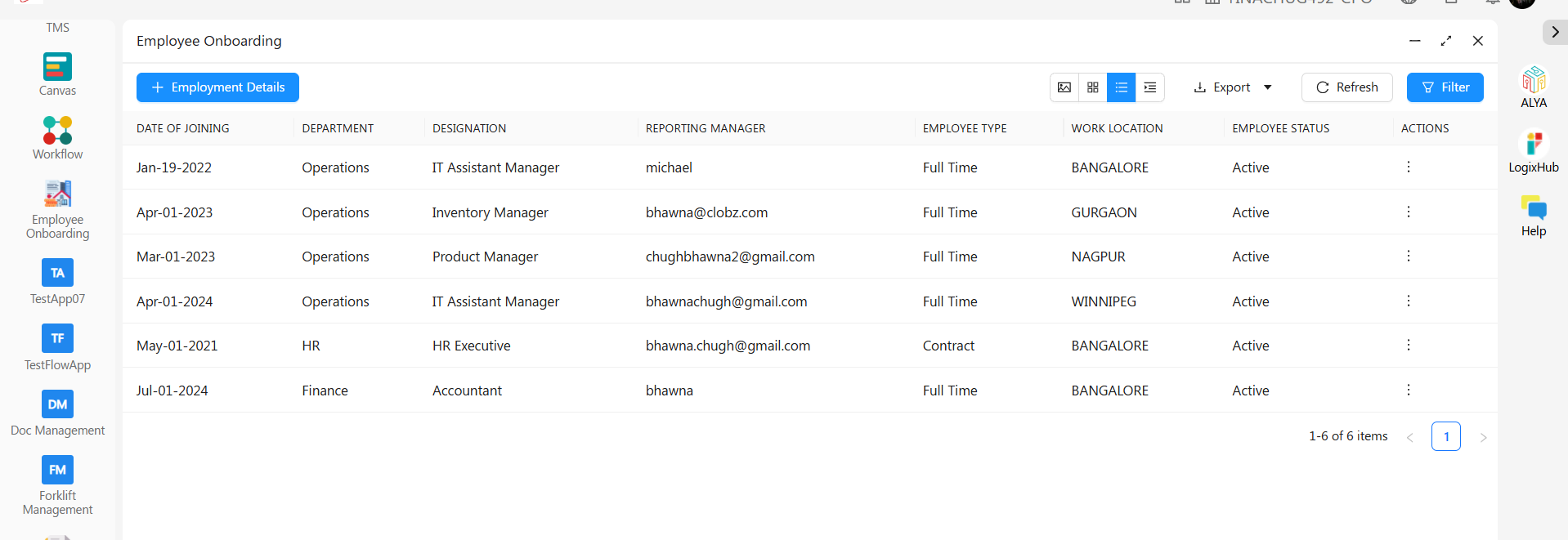
Department, designation, employee type, reporting manager, and work location — the record that drives the approval routing.
Document Upload
IDs, certificates, and signed agreements collected in one place, so nobody is hunting through an inbox on day one.
Login & Access
Tracks system credentials and provisioning status, so IT knows what to set up and HR knows when it's done.
Onboarding Checklist
Every task from laptop handover to policy acknowledgment, visible and accountable rather than remembered.
Salary & Compensation
Pay structure details stored securely, and visible only to the people you decide should see them.
Employee Lifecycle Tracking
Follows the employee from joining date through confirmation, transfers, and every status change that comes after.
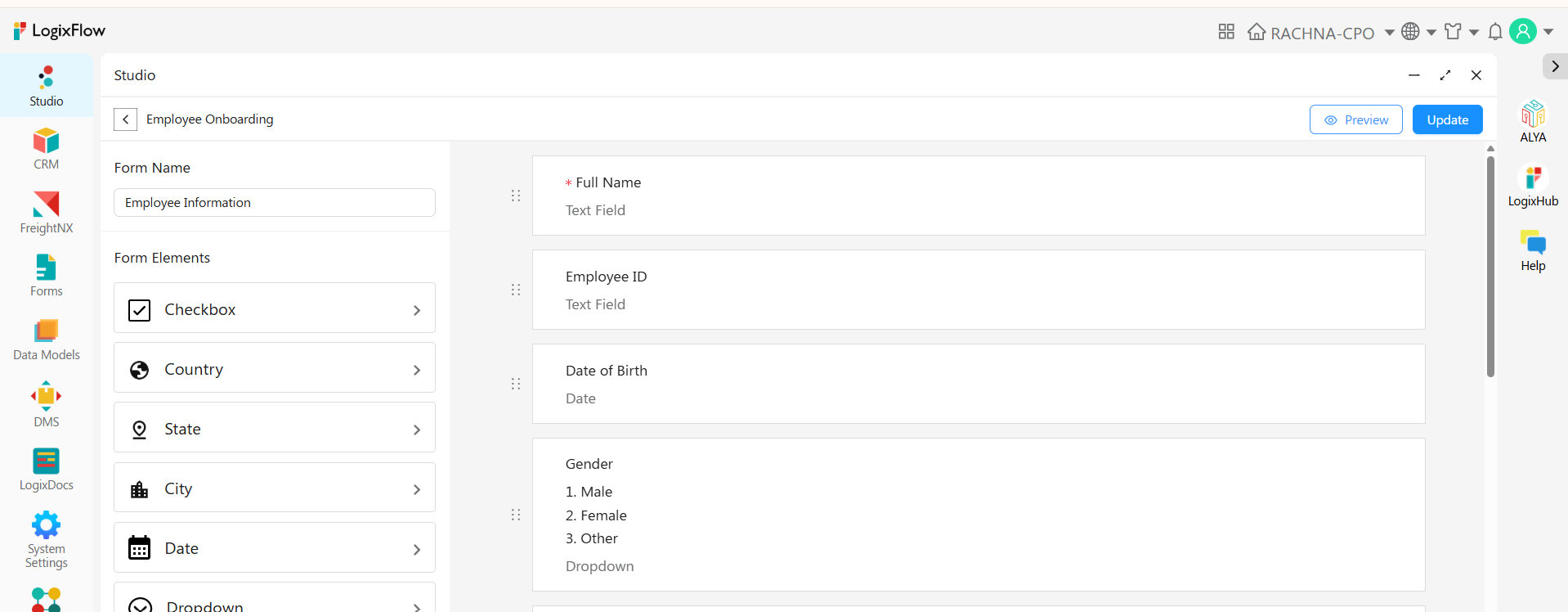
Change anything in minutes, not months
No two companies hire, approve, or provision the same way — and the fields an HR team needs in year two are never the fields it needed in year one. Every form opens in the Design tab, where HR can reshape it without a ticket to IT.
- Add, rename, or remove any field on any of the seven forms
- Switch between Form, Quick View, and Detail View layouts
- Change employee types and onboarding statuses to match your own terminology
- Restyle labels and re-order fields by dragging them
- Every change goes live immediately, on desktop and in the mobile app
Built for the way the day actually runs
Once hires are flowing through the app, the everyday things — finding a record, pulling a report, proving who approved what — are already handled.
Three ways to look at it
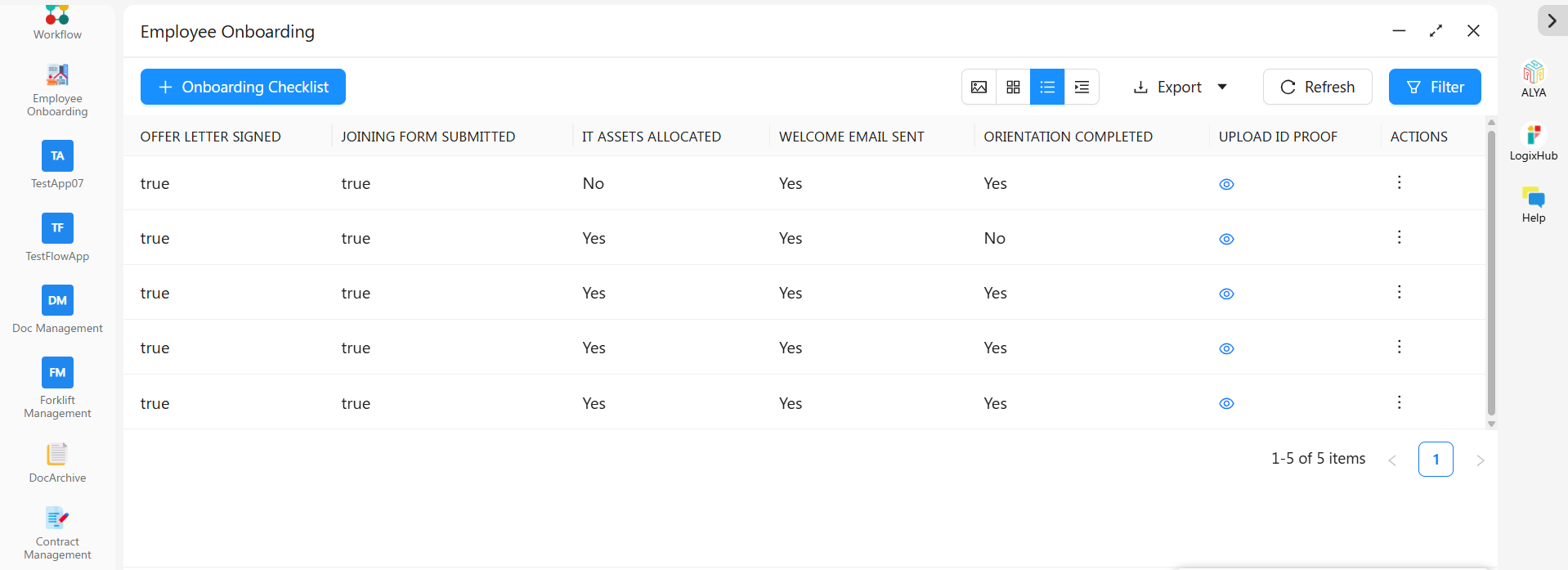
A clean list for quick scanning, a card view for a visual overview, or a grouped tab view that clusters records by department, status, or any field you choose.
Export and audit
Send any view to Excel in a click for payroll reconciliation or reporting. Every create, edit, view, and email is logged automatically with a timestamp and user name.
Paperwork on demand
Generate a populated offer letter, appointment letter, or ID card from any record in seconds, using templates you design once in LogixDocs.
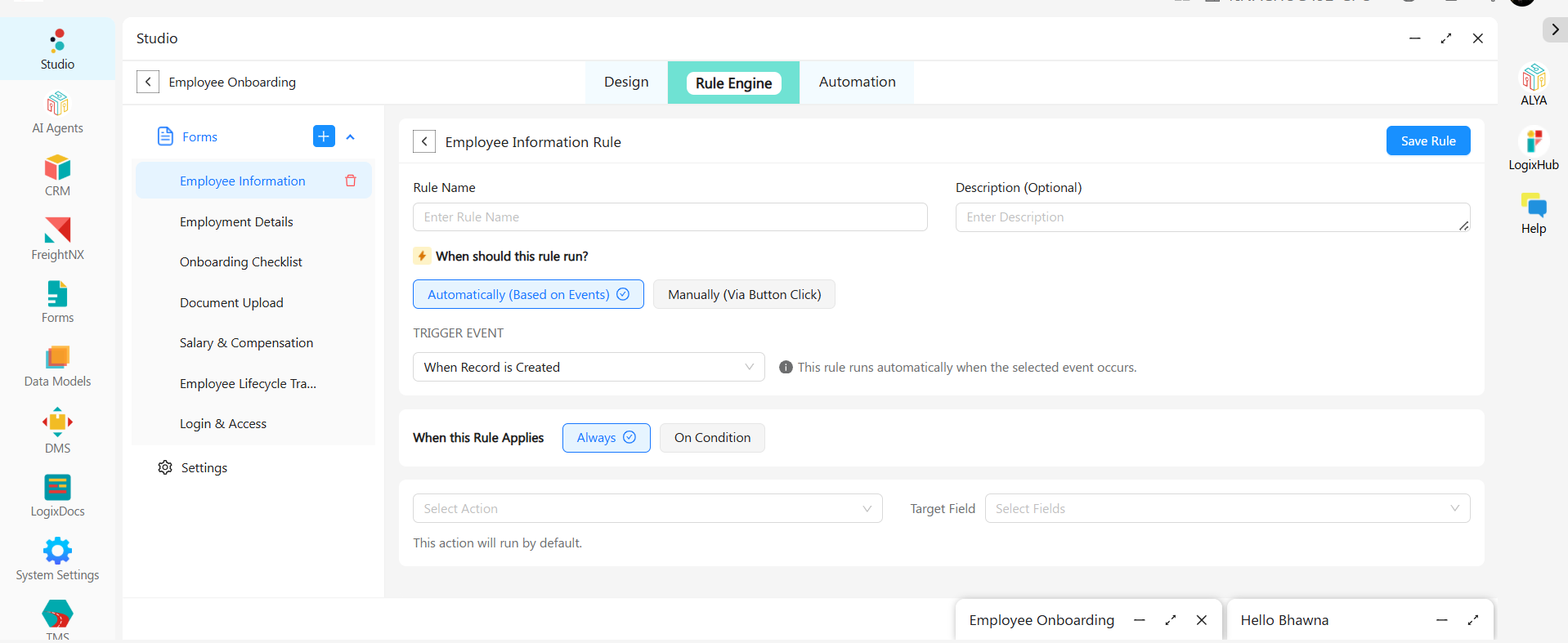
Rules that protect your process
The Rule Engine enforces the things a busy HR team shouldn't have to remember. Each rule runs automatically on an event — when a record is created, edited, or a value changes — or manually from a button, and applies always or only when your conditions are met.
- Keep Salary & Compensation visible only to the roles you choose
- Require Document Upload to be complete before Login & Access can be submitted
- Show or hide fields based on employee type — different rules for contract and full-time hires
- Move a record to Active automatically once the checklist is finished
Approvals and welcome emails that run themselves
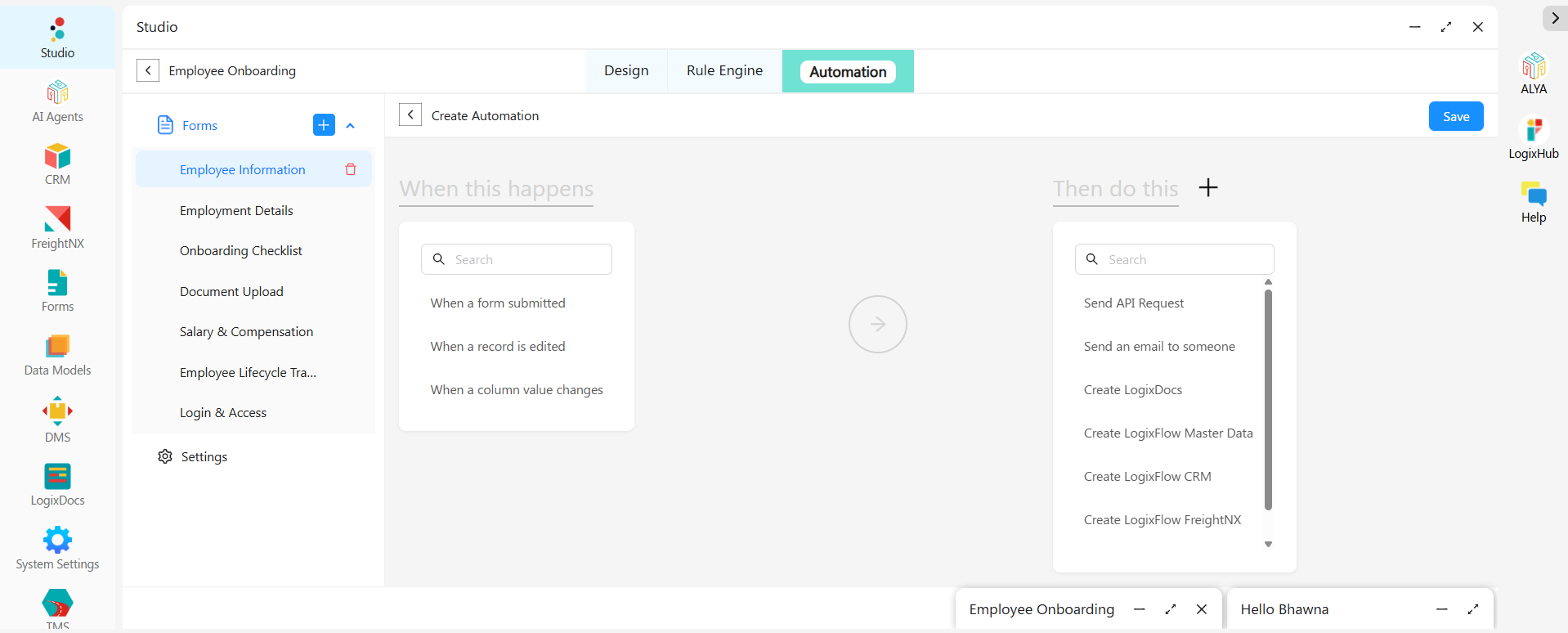
Automations are built the same plain way: pick when this happens, then pick what to do. Triggers cover form submission, record edits, and column value changes. Actions include sending an email, creating a LogixDocs document, calling an API, or handing off to another workflow — with branching, parallel paths, and timed delays.
HR submits an Employment Details record for someone joining next Monday. The workflow routes it to the Reporting Manager with a 48-hour window — and every outcome is already handled.
Connect the systems you already run payroll on
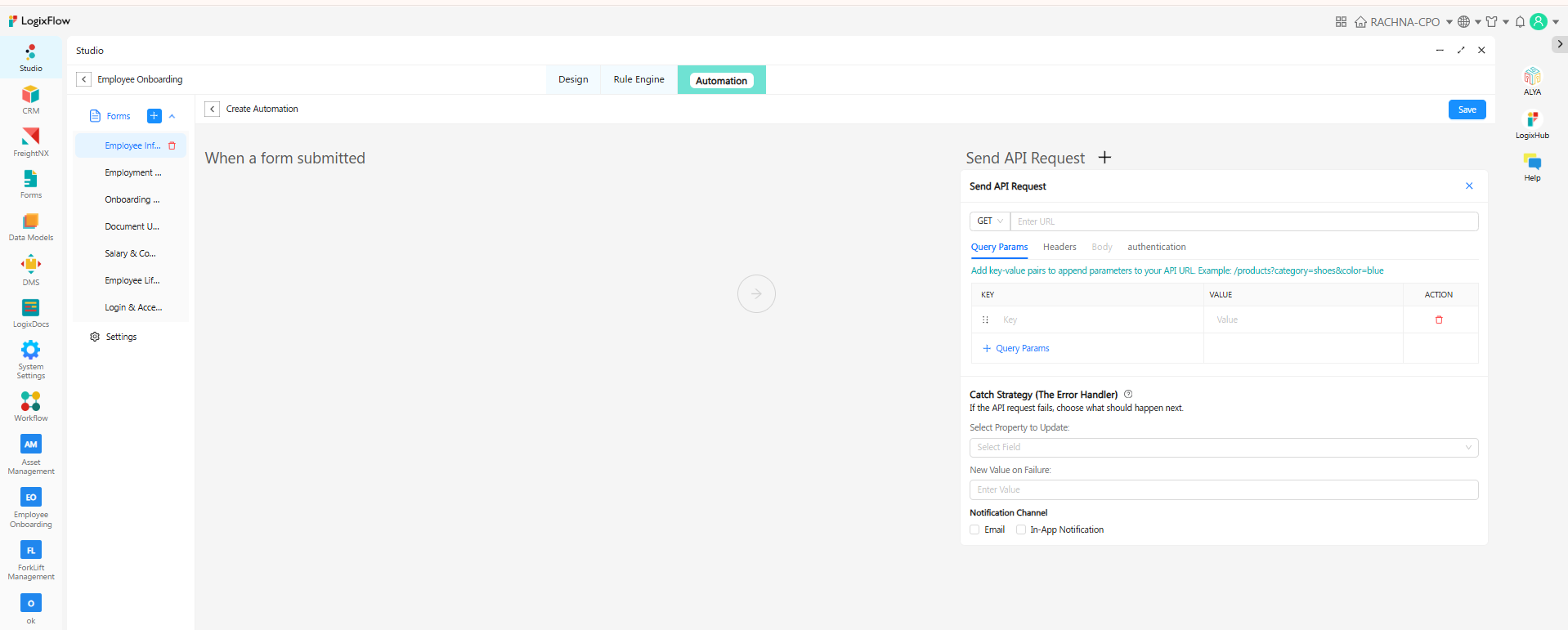
Nobody should key a new hire in twice. The Send API Request action is a full REST client — query parameters, custom headers, request bodies, and API Key, Bearer Token, or OAuth2 Client Credentials authentication — so an approved record can land in your HRMS the moment it's signed off.
Any HRMS or ERP
Push approved employee records into virtually any external system over REST.
QuickBooks
An installable app inside LogixFlow — connect compensation data in a few clicks.
Zoho Books & others
Connect through the same generic REST connector, no custom development.
Approvals don't wait for someone to reach their desk
All seven forms work in LogixHub, LogixFlow's mobile app for iOS and Android. A reporting manager can approve a pending hire, review an uploaded document, or check onboarding progress from their phone — travelling, at a client site, or between meetings.
iOS
Android
Questions, answered
It is a ready-made, no-code application on the LogixFlow platform that gives HR teams a structured digital workspace to manage every stage of a new hire’s journey, from capturing personal and employment details to tracking documents, checklists, compensation, and system access, all in one connected record.
No. Every form, view, workflow, approval, and automation described here is built and configured visually, through point-and-click configuration panels, with no scripting or developer resources required.
Yes. Approval routing can be configured to require sign-off from any one designated approver or from all listed approvers, with configurable timeout windows and separate paths for approved, rejected, or timed-out requests, so the workflow mirrors your actual reporting structure.
Yes. It connects to virtually any external HRMS, payroll platform, or accounting system through a built-in REST API action supporting API Key, Bearer Token, or OAuth2 authentication. For accounting specifically, QuickBooks integration is available as an installable app inside LogixFlow for a native, code-free connection, while platforms like Zoho Books can be connected through the same generic API connector.
Yes. Welcome emails, reminders, internal alerts, and even fully populated documents such as offer letters can all be generated and sent automatically the moment a record is created, updated, or approved, using dynamic placeholders that personalize every message.
Yes. Every create, update, view, and email action on a record is logged automatically with a timestamp and user identity in the record’s Activity Log, giving HR and compliance teams a clear, reliable history.
Yes. All forms in the Employee Onboarding app are available on LogixHub, LogixFlow’s mobile app for iOS and Android, so approvals, document reviews, and status checks can happen from anywhere.
Yes. Records can be exported to Excel directly from any view, making it easy to share data for payroll runs, compliance reporting, or leadership updates.
Onboard your next hire through it this week.
The app is already built. Add it, use it, change whatever you want — free to start, no credit card.